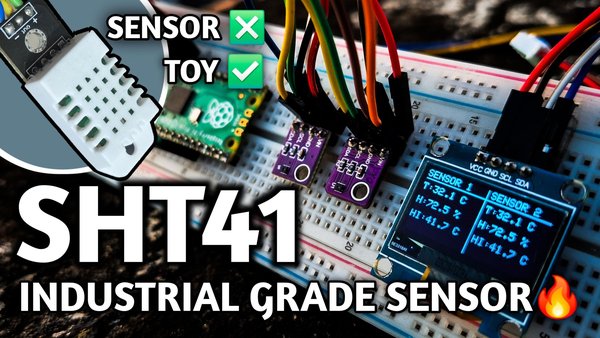
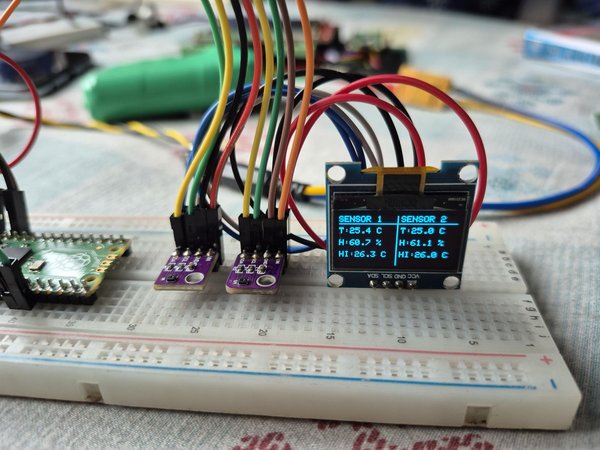
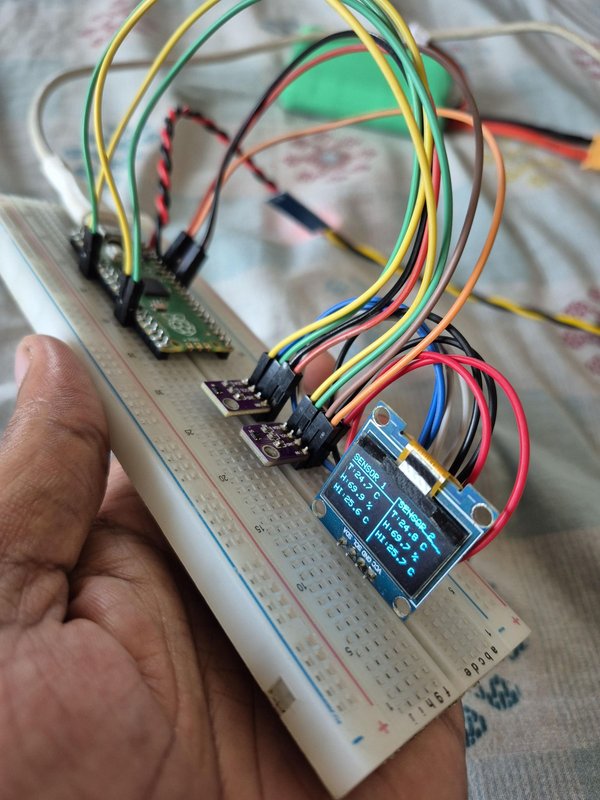
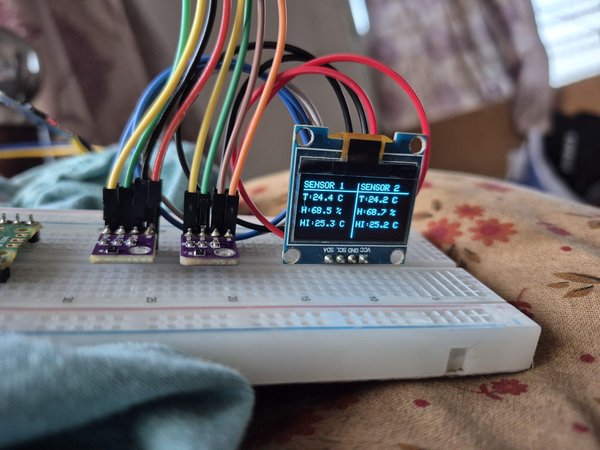
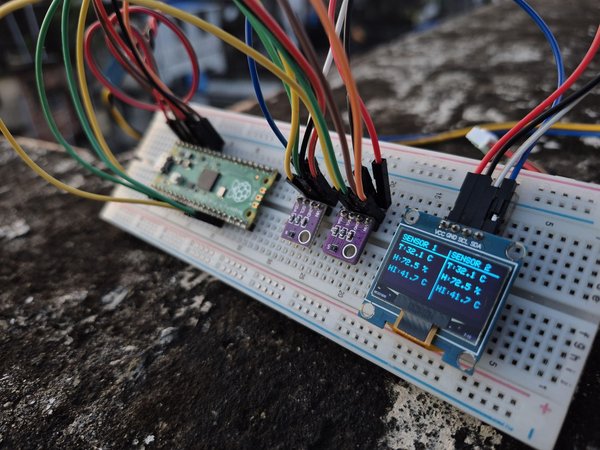
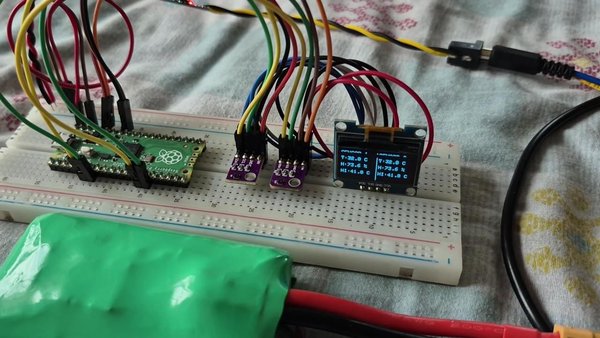
이 튜토리얼에서는 다음을 만드는 방법을 보여드리겠습니다. 두 개의 센서를 사용하는 온도, 습도 및 열지수 모니터링 시스템 인 산업용 등급 SHT41 온도 및 습도 센서두 개와 Raspberry Pi Pico, 그리고 범용 128×64 I²C OLED 디스플레이입니다.
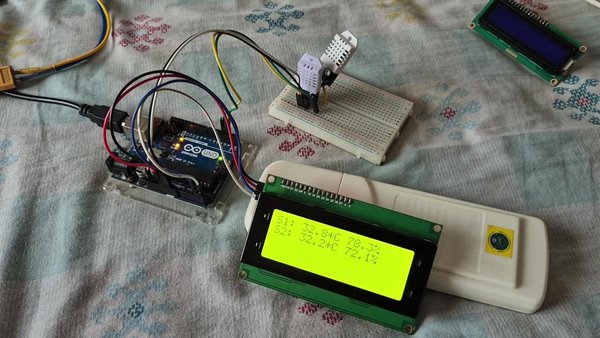
또한 SHT41과 DHT22를 실용적으로 비교한 내용을 포함하여 전체 실험 과정을 기록한 상세한 YouTube 동영상도 제작했습니다. 기본적인 “장난감” 센서와 산업용 등급 센서의 차이를 직접 경험한 내용과 함께 시연했습니다.
이 테스트에서는 DHT22 센서 2개와 SHT41 센서 2개를 동시에 사용했습니다. 두 DHT22 센서의 데이터는 눈에 띄는 차이를 보였지만, 공장에서 보정된 SHT41 센서들은 매우 유사한 측정값을 보였으며 때로는 측정값이 정확히 같기도 했습니다.
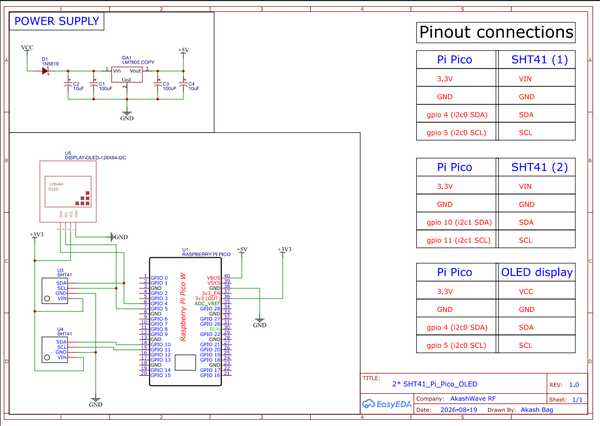
회로도에서 볼 수 있듯이 SHT41 센서 2개를 사용했습니다.
SHT41에는 I²C 주소를 변경하는 핀이 없습니다. 두 센서가 동일한 I²C 주소를 사용하므로 두 센서를 동일한 I²C 버스에 연결하면 주소 충돌이 발생합니다.
제공된 Arduino 코드를 그대로 복사하여 Raspberry Pi Pico에 업로드하면 됩니다.
#include <Wire.h>
#include <Adafruit_SHT4x.h>
#include <Adafruit_GFX.h>
#include <Adafruit_SSD1306.h>
// ---------- I2C Pins ----------
#define I2C0_SDA 4
#define I2C0_SCL 5
#define I2C1_SDA 10
#define I2C1_SCL 11
// ---------- OLED ----------
#define SCREEN_WIDTH 128
#define SCREEN_HEIGHT 64
#define OLED_ADDRESS 0x3C
Adafruit_SSD1306 display(SCREEN_WIDTH, SCREEN_HEIGHT, &Wire, -1);
// ---------- Sensor Objects ----------
Adafruit_SHT4x sht1;
Adafruit_SHT4x sht2;
bool sensor1_ok = false;
bool sensor2_ok = false;
// ---------- Heat Index ----------
float computeHeatIndexC(float tempC, float humidity)
{
float tempF = tempC * 9.0 / 5.0 + 32.0;
float hiF =
-42.379 +
2.04901523 * tempF +
10.14333127 * humidity -
0.22475541 * tempF * humidity -
0.00683783 * tempF * tempF -
0.05481717 * humidity * humidity +
0.00122874 * tempF * tempF * humidity +
0.00085282 * tempF * humidity * humidity -
0.00000199 * tempF * tempF * humidity * humidity;
return (hiF - 32.0) * 5.0 / 9.0;
}
// ---------- Check Sensor Presence ----------
bool devicePresent(TwoWire &bus, uint8_t address)
{
bus.beginTransmission(address);
return (bus.endTransmission() == 0);
}
// ---------- OLED Display ----------
void updateOLED(
bool sensor1_present,
float temp1,
float hum1,
float HI1,
bool sensor2_present,
float temp2,
float hum2,
float HI2)
{
display.clearDisplay();
// ---------- SENSOR 1 ----------
display.setTextSize(1);
display.setTextColor(SSD1306_WHITE);
display.setCursor(0, 0);
display.println("SENSOR 1");
display.drawLine(0, 9, 63, 9, SSD1306_WHITE);
if (sensor1_present)
{
display.setCursor(0, 14);
display.print("T:");
display.print(temp1, 1);
display.println(" C");
display.setCursor(0, 29);
display.print("H:");
display.print(hum1, 1);
display.println(" %");
display.setCursor(0, 44);
display.print("HI:");
display.print(HI1, 1);
display.println(" C");
}
else
{
display.setCursor(5, 27);
display.println("SENSOR");
display.setCursor(4, 39);
display.println("ERROR");
}
// ---------- SENSOR 2 ----------
display.setCursor(68, 0);
display.println("SENSOR 2");
display.drawLine(64, 9, 127, 9, SSD1306_WHITE);
if (sensor2_present)
{
display.setCursor(68, 14);
display.print("T:");
display.print(temp2, 1);
display.println(" C");
display.setCursor(68, 29);
display.print("H:");
display.print(hum2, 1);
display.println(" %");
display.setCursor(68, 44);
display.print("HI:");
display.print(HI2, 1);
display.println(" C");
}
else
{
display.setCursor(73, 27);
display.println("SENSOR");
display.setCursor(72, 39);
display.println("ERROR");
}
// ---------- Divider ----------
display.drawLine(64, 0, 64, 63, SSD1306_WHITE);
display.display();
}
void setup()
{
pinMode(6, OUTPUT);
Serial.begin(115200);
delay(2000);
Serial.println();
Serial.println("========================================");
Serial.println(" Dual SHT41 Monitor - Raspberry Pi Pico ");
Serial.println("========================================");
// -------- I2C0 --------
Wire.setSDA(I2C0_SDA);
Wire.setSCL(I2C0_SCL);
Wire.begin();
// -------- I2C1 --------
Wire1.setSDA(I2C1_SDA);
Wire1.setSCL(I2C1_SCL);
Wire1.begin();
// -------- OLED --------
if (!display.begin(SSD1306_SWITCHCAPVCC, OLED_ADDRESS))
{
Serial.println("OLED NOT detected");
}
else
{
display.setRotation(0);
display.clearDisplay();
display.setTextColor(SSD1306_WHITE);
display.setTextSize(1);
display.setCursor(22, 20);
display.println("DUAL SHT41");
display.setCursor(28, 35);
display.println("MONITOR");
display.display();
delay(1000);
}
delay(200);
// -------- Sensor 1 --------
if (devicePresent(Wire, 0x44))
{
if (sht1.begin(&Wire))
{
sht1.setPrecision(SHT4X_HIGH_PRECISION);
sht1.setHeater(SHT4X_NO_HEATER);
sensor1_ok = true;
Serial.println("Sensor #1 Found on I2C0");
}
}
if (!sensor1_ok)
{
Serial.println("Sensor #1 NOT detected");
}
// -------- Sensor 2 --------
if (devicePresent(Wire1, 0x44))
{
if (sht2.begin(&Wire1))
{
sht2.setPrecision(SHT4X_HIGH_PRECISION);
sht2.setHeater(SHT4X_NO_HEATER);
sensor2_ok = true;
Serial.println("Sensor #2 Found on I2C1");
}
}
if (!sensor2_ok)
{
Serial.println("Sensor #2 NOT detected");
}
}
void loop()
{
digitalWrite(6, HIGH);
Serial.println();
Serial.println("================================");
// ---------- OLED DATA VARIABLES ----------
float temp1_display = 0;
float hum1_display = 0;
float HI1_display = 0;
float temp2_display = 0;
float hum2_display = 0;
float HI2_display = 0;
bool sensor1_present = false;
bool sensor2_present = false;
// ---------- SENSOR 1 ----------
if (devicePresent(Wire, 0x44))
{
if (!sensor1_ok)
{
if (sht1.begin(&Wire))
{
sht1.setPrecision(SHT4X_HIGH_PRECISION);
sht1.setHeater(SHT4X_NO_HEATER);
sensor1_ok = true;
Serial.println("Sensor #1 Reconnected");
}
}
sensors_event_t hum1, temp1;
sht1.getEvent(&hum1, &temp1);
float HI1 = computeHeatIndexC(
temp1.temperature,
hum1.relative_humidity);
sensor1_present = true;
temp1_display = temp1.temperature;
hum1_display = hum1.relative_humidity;
HI1_display = HI1;
Serial.println("SENSOR #1 (I2C0)");
Serial.print("Temperature : ");
Serial.print(temp1.temperature, 2);
Serial.println(" C");
Serial.print("Humidity : ");
Serial.print(hum1.relative_humidity, 2);
Serial.println(" %");
Serial.print("Heat Index : ");
Serial.print(HI1, 2);
Serial.println(" C");
}
else
{
sensor1_ok = false;
Serial.println("SENSOR #1 (I2C0)");
Serial.println(">>> DISCONNECTED <<<");
}
Serial.println();
// ---------- SENSOR 2 ----------
if (devicePresent(Wire1, 0x44))
{
if (!sensor2_ok)
{
if (sht2.begin(&Wire1))
{
sht2.setPrecision(SHT4X_HIGH_PRECISION);
sht2.setHeater(SHT4X_NO_HEATER);
sensor2_ok = true;
Serial.println("Sensor #2 Reconnected");
}
}
sensors_event_t hum2, temp2;
sht2.getEvent(&hum2, &temp2);
float HI2 = computeHeatIndexC(
temp2.temperature,
hum2.relative_humidity);
sensor2_present = true;
temp2_display = temp2.temperature;
hum2_display = hum2.relative_humidity;
HI2_display = HI2;
Serial.println("SENSOR #2 (I2C1)");
Serial.print("Temperature : ");
Serial.print(temp2.temperature, 2);
Serial.println(" C");
Serial.print("Humidity : ");
Serial.print(hum2.relative_humidity, 2);
Serial.println(" %");
Serial.print("Heat Index : ");
Serial.print(HI2, 2);
Serial.println(" C");
}
else
{
sensor2_ok = false;
Serial.println("SENSOR #2 (I2C1)");
Serial.println(">>> DISCONNECTED <<<");
}
Serial.println("================================");
// ---------- UPDATE OLED ----------
updateOLED(
sensor1_present,
temp1_display,
hum1_display,
HI1_display,
sensor2_present,
temp2_display,
hum2_display,
HI2_display
);
delay(1000);
}
한 가지 참고할 점이 있습니다. 제 프로젝트에서는 브레드보드에 OLED 디스플레이를 거꾸로 장착했습니다. 따라서 디스플레이를 회전하기 위해 다음 함수를 사용했습니다:
OLED를 일반적인 방향으로 장착했다면 이 줄을 삭제하거나 주석 처리하면 됩니다. 이 코드에 대한 설명도 YouTube 동영상에서 확인할 수 있습니다. 여기를 클릭 하여 확인하세요.





 https://www.instructables.com/Dual-SHT41-Temperature-Humidity-Monitor-…